
Dynamics 365 App Development Services
- 19+ Years of Expertise
- 200+ Dynamic Individuals
- 1200+ Completed Projects




















Optimize Business Workflows & Reduce Manual Process with Dynamics 365 App Development
Our Dynamics 365 app development services are designed to help your business achieve more. We create custom applications that streamline processes and improve performance.
With expertise in Microsoft Dynamics 365 app development, we build solutions that meet your unique business requirements. Whether you need Dynamics CRM app development for better customer management or an integrated system for smooth operations, our app development in Dynamics 365 ensures that your business remains competitive and efficient.
We focus on delivering solutions that grow with your business, helping you stay ahead with innovative, scalable apps.
End-to-End Dynamics 365 Development Services for Every Business Need
We provide complete Dynamics 365 app development services to help your business streamline processes and improve efficiency from start to finish.
End-to-End Dynamics 365 Development Services for Every Business Need

Custom App Development

Power Platform Development

Data Migration and Synchronization

System Integration
Empower Your Business with Our Dynamics 365 App Development Expertise
Have questions about Dynamics 365 app development? Our experts offer clear, actionable answers to help you succeed. Start with a free, no-commitment consultation and bring your ideas to life effortlessly.
Why Trust Biztech for Your Dynamics 365 App Development Services?
We offer reliable, innovative, and result-driven Dynamics 365 app development services, empowering your business with scalable solutions that foster growth and efficiency.
Expertise in Dynamics 365
Our team has deep knowledge and extensive experience in building tailored solutions using Dynamics 365, ensuring optimal performance and functionality.
Custom-Built Solutions
We develop apps tailored to your unique business needs, enhancing efficiency and productivity with precise customizations.
Seamless Integration
Our experts ensure flawless integration of Dynamics 365 with your existing systems, creating a unified digital environment.
Advanced Security Measures
We implement robust security protocols, safeguarding your data and ensuring compliance with industry standards.
Words that make an impact







Fernando Delgado
CIO - El Camino Real Charter High School
We can always count on Team Biztech
"BiztechCS has helped us in many ways in the last 5-6 years. We have embarked on several ventures with different applications ranging from ERP to iOS apps to stand-alone applications for inventory management. Specifically, regarding Odoo development, they have helped us overcome many challenges. BiztechCS is very fast and responsive. They are really easy to talk to. We can always count on team BiztechCS in case of any issues. I have worked with them for many years and highly recommend BiztechCS."

Alexander
employee - BigFoot B.V
It was a pleasant journey, I am very happy with the results: Alexander
"I have known Biztech for about 10 years now. This year I had an idea, and my first thought was to ask BiztechCS to help me turn my idea into an app. The 3-month journey went by quickly as Team BiztechCS continually interacted with me to ensure the end product resonated with my vision. It is truly amazing to discover that we were on the same page and BiztechCS was efficiently able to build a unique app based on my requirements."

Alex Wrenn
Director - Essential Aids
They’ve got an experienced team and impressive communication skills: Alex Wrenn
"I wanted to avail myself of customized solutions for our store improvement. With the help of custom store solutions, we wanted to increase the number of satisfied customers and grow with current market trends. Biztech helped us with our website development, design, and eCommerce needs. They've got an experienced team, and I am impressed with their communication skills. I found Biztech very efficient and am pleased with how they handled things for us."

Adam Harvey
Co-founder and CEO of Proofed - Proofed Inc
Biztech felt more like an On-Shore team than an Off-Shore Team
"We’ve been working with BiztechCS for the last 7 years. We find that they are really good at ideation and coming up with new ideas when we face any problems. We have grown with them in the past 7 years, and hope to continue growing with them in the future. We highly recommend Biztech, they are very professional and have excellent technical skills and they felt more like an On-Shore team than an Off-Shore team."

Shamsul Duha
Ecommerce Head - Rocaba Group
Biztech’s expertise in ERP, Magento, and .NET helped us enter a new market: Shamsul Duha
"To meet the latest needs and expand our business further, we were looking to build an Ecommerce website for our products. We connected with Biztech, and they helped us with our website development. They are a partner aligned with what we have been trying to achieve regarding our business needs. With Biztech's expertise, we were able to enter a new market. I very much look forward to working with them in the future and highly recommend their services."

Robbert Morgan
CEO - Intervlag
I believe having Biztech on our side means we can grow faster and more efficiently: Robert Morgan
"We use Odoo ERP to manage operations more efficiently and maintain productivity in our company. Initially, we worked with other companies for our Odoo requirements, but we didn’t get the result that we were seeking. Finally, we entrusted BiztechCS with managing Odoo ERP for our company. BiztechCS understood our requirements aptly and helped us achieve the results that we were looking for. I found BiztechCS very different from other Odoo Developers. BiztechCS was very well-prepared for our needs and understood our requirements very well. I believe having BiztechCS on our side means we can grow faster and more efficiently."

Justin Loera
Director of SEO - Auto Insurance Centre
Quality work for the past 6 years, highly recommend Biztech for development and design: Justin Loera
"We have been working with Biztech for the past 6 years. I believe the work accomplished with BiztechCS has been quite good, and I appreciate team BiztechCS for their commitment to our requirements. BiztechCS has supported us whenever we had a requirement. I highly recommend BiztechCS for all types of project needs, from Code development to Design requirements and themes."

Tim
Creative Director - Balmond
Spot-on service, approachable team understanding for our critical eCommerce needs: Tim
"We wanted to go online to expand our market to the global level. We wanted a Magento store with a reliable shopping cart and a safe payment gateway for an easy and safe business transaction. And we got one with Biztech. After that, I worked with Biztech on a number of projects and was very satisfied with the work. I believe Biztech’s services are spot on and are also very approachable. I highly recommend Biztech for all types of website development and design needs."

Robert Boehmer
Chief Operations Officer - cliftons
Insights on BiztechCS by Robert Boehmer, Chief Operations Officer at Cliftons
“At Clifton's, we faced challenges with the standard calendaring solution provided by Microsoft, particularly with the volume of events we manage. We needed to find a faster, more stable solution that offered greater functionality to meet our needs. After engaging BiztechCS, they introduced us to their Calendar 365 product, which was an excellent fit. This solution has significantly improved our scheduling process, providing the required reliability and enhanced features.”
Success Stories of Digital Transformation Developed By BiztechCS
Our persistence and enthusiasm to work with technologies have helped us go above and beyond our client’s expectations. Here, explore many of our successful projects which digitally transformed businesses.

Shhh
HTML5 , Shopify
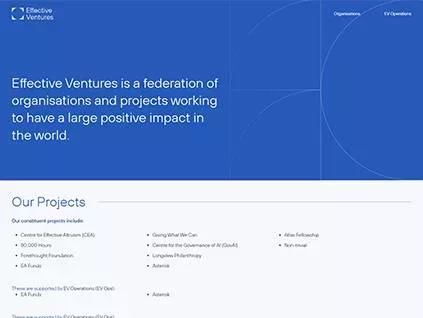
Effective Ventures
HTML5 , WordPress

Legal Network International
HTML5 , WordPress

Optimizing Field Operations with a Tailored Mobile App for Osho Chemical
Executive Summary Osho Chemical Industries Ltd, a prominent provider of agrochemicals and industrial solutions in Africa, faced challenges with manual workflows, inefficient customer assignments, and high...


Fueling OpsCTRL's Digital Transformation With Biztech: A Case Study on Enhanced Productivity
OpsCTRL is internationally renowned for its expertise in dynamic process modeling; especially for model-supported design of process control solutions. This project aimed to streamline their global operations,...

An ERP solution to manage school’s operations
Executive Summary Biztech, a renowned provider of technology solutions, undertook the task of restructuring the Magento website for El Camino Real Charter High School, a prominent educational institution...
Tech Updates from Team BiztechCS
At BiztechCS, we keep you at the edge of technology with the latest updates, news, and trends influencing the IT industry. Our blog has a unique approach and is well-researched to give you a fresh perspective on technology.

Top 10 Odoo Development Companies in the UK for 2026
Finding a reliable Odoo development company in UK is harder than it looks. The partner list on Odoo’s official website runs to hundreds of entries. Certification levels vary....
Odoo Running Slow? 7 Performance Optimization Fixes That Deliver Results
A food manufacturing company runs Odoo 16 with 40 concurrent users across production, warehouse, and finance. The system was fast at go-live with 20 users and 18 months of data. Now,...
Odoo Annual Maintenance Contract (AMC): What’s Included & Why Your Business Needs One
A distribution company went live on Odoo 15 eighteen months ago. The implementation was clean. The go-live was on time. Then the business hired a new logistics coordinator who changed...Why Biztech for Microsoft Dynamics Development
We combine the power of platforms and technologies with our innovation and industry expertise to drive large-scale, customer-centric transformation.
- Dedicated Dynamic 365 Developers
- On-demand Scalability
- Flexible Engagement Model
- Cost-Effective Solution
- On-time Delivery
- Agile Methodology
- Code Authorization
- Transparent Project Management
- 100% Customer Satisfaction
- 24*7 Support and Maintenance

Maximize Your Business Potential with Dynamics 365 App Solutions
Build custom Dynamics 365 apps with our Microsoft-certified experts to improve productivity, elevate customer satisfaction, and seamlessly transform your business for future growth.
FAQs
What is Microsoft Dynamics 365 and what is it used for?
Microsoft Dynamics 365 is a cloud-based platform that combines CRM (Customer Relationship Management) and ERP (Enterprise Resource Planning) capabilities in a modular suite of business applications. It covers areas like sales, customer service, finance, operations, supply chain, marketing, and human resources — all within a connected Microsoft ecosystem.
Businesses use it to bring together data and processes that would otherwise live in separate systems, giving teams a unified view of customers, operations, and performance. Because it is built on the Microsoft stack, it integrates naturally with tools many organizations already use, such as Outlook, Teams, SharePoint, and Power BI.
What are Dynamics 365 app development services?
Dynamics 365 app development services involve building custom applications, automations, and extensions on top of the Dynamics 365 platform to match a business’s specific workflows and requirements. Rather than accepting what the standard platform provides out of the box, businesses use development services to tailor the system to their processes.
This can include creating custom entities, fields, and business logic within Dynamics 365, building low-code apps with Power Apps, automating workflows with Power Automate, integrating Dynamics with third-party systems, migrating data from legacy platforms, and setting up advanced reporting through Power BI.
Can Dynamics 365 be customized to fit specific business processes?
Yes, and this is one of its primary strengths. Dynamics 365 is built with customization in mind. Businesses can add custom fields, forms, and views to existing modules, create entirely new entities to represent business-specific data, set up automated workflows that reflect their approval processes, and configure dashboards that surface the metrics most relevant to their team.
For requirements that go beyond configuration, custom code can be written using the platform’s APIs and developer tools to extend functionality further. The degree of customization needed depends on how closely a business’s processes align with the platform’s default behavior.
How long does a Dynamics 365 development project typically take?
Most Dynamics 365 projects fall in the range of 3 to 6 months, though this varies significantly based on scope. A focused implementation covering one or two modules with limited customization can be completed faster. A large-scale deployment covering multiple departments, deep integrations with existing systems, and significant data migration will naturally take longer.
Timeline is also influenced by how well requirements are defined at the start and how available key stakeholders are for review and sign-off during the project. Vague requirements and slow feedback loops are among the most common causes of delays in platform implementations.
How much does Dynamics 365 app development cost?
Cost depends on the scope of the project — how many modules are being implemented, the level of customization required, the complexity of integrations with other systems, the volume of data being migrated, and the ongoing support arrangement needed after go-live.
A straightforward single-module implementation costs considerably less than a multi-department rollout with custom workflows, third-party integrations, and bespoke reporting. Getting a detailed requirements assessment done before committing to a budget is the most reliable way to arrive at an accurate cost estimate.
What is the Power Platform and how does it relate to Dynamics 365?
The Power Platform is Microsoft’s suite of low-code tools that sit alongside and extend Dynamics 365. It includes Power Apps for building custom applications, Power Automate for workflow automation, Power BI for business intelligence and reporting, and Power Virtual Agents for building chatbots.
These tools allow businesses to extend Dynamics 365 without always needing traditional development. A non-technical team member can build a simple internal app in Power Apps, while a developer can use the same tools to create more sophisticated solutions. Because the Power Platform shares the same data layer as Dynamics 365, the two work together natively.
How does data migration work when moving to Dynamics 365?
Data migration involves extracting data from an existing system — whether a legacy CRM, another ERP, spreadsheets, or a combination — cleaning and transforming it to match Dynamics 365’s data structure, and then importing it into the new platform in a way that preserves its integrity and relationships.
The process requires careful mapping of how data fields in the old system correspond to fields in Dynamics 365, handling duplicates and inconsistencies in the source data, running test migrations to validate results before going live, and verifying that historical records are complete and accurate after the migration is complete. Poorly executed migrations can result in missing records, broken relationships between data entities, or corrupted history that undermines trust in the new system.
How does Dynamics 365 integrate with other business systems?
Dynamics 365 offers a range of integration options. For Microsoft products like Outlook, Teams, and SharePoint, integration is largely built in. For third-party systems — such as external ERPs, marketing platforms, eCommerce tools, or accounting software — integration is typically done through APIs, middleware connectors, or Azure-based services.
The goal of integration is to ensure that data flows automatically between systems without manual re-entry, giving teams a single source of truth rather than having to reconcile information across multiple disconnected tools. How deep the integration needs to go — whether it is a simple one-way data sync or a complex bidirectional real-time connection — determines how much development work is involved.
How secure is Dynamics 365 for managing sensitive business data?
Dynamics 365 is built on Microsoft Azure, which includes enterprise-grade security infrastructure — data encryption in transit and at rest, role-based access controls, multi-factor authentication, audit logging, and compliance with a broad range of international standards including GDPR, ISO 27001, SOC 2, and HIPAA.
At the application level, security is further controlled through user roles and field-level permissions that determine exactly what each person can see and do within the system. For industries with strict data governance requirements, the platform’s compliance certifications and configurable access controls make it a suitable foundation — though proper configuration of those controls is essential, as the platform is only as secure as how it is set up and maintained.
Is Dynamics 365 available on-premise or only in the cloud?
Dynamics 365 is primarily a cloud-based platform delivered through Microsoft Azure. However, some components — particularly Dynamics 365 Finance and Operations — do offer on-premise deployment options for organizations that have specific data residency requirements or regulatory constraints that prevent them from hosting data in the cloud.
That said, Microsoft’s ongoing development investment is firmly focused on the cloud version. Organizations choosing on-premise deployment should be aware that they may have slower access to new features and updates compared to the cloud-hosted version, and that on-premise infrastructure carries its own management overhead.