
 9
9
Odoo 19 to 20 Migration: Step-by-Step Preparation Guide
 5 min read
70%
ERP initiatives Gartner predicts will fail to meet their original business goals by 2027 (Gartner)
15 million
Worldwide Odoo users bracing for the 19-to-20 upgrade (Odoo)
Sept 24–26, 2026
Odoo Experience in Brussels, where Odoo 20 is unveiled (Odoo)
JSON-2
New API replacing XML-RPC, which is deprecated and slated for full removal in Odoo 22 (Odoo)
Ask any team planning an Odoo 19 to 20 migration what keeps them up at night, and they’ll say the data. That’s not where the real risk lives.
The version conversion, the part that feels scary, is actually the easy bit. Odoo runs your database through its own free upgrade platform and hands you back a converted copy. Twenty minutes for a clean setup. A few weeks for a gnarly one. Either way, you’re not writing that part.
The project is everything that happens before you ever press the button. And almost all of it happens on Odoo 19, now, while you still have time.
Here’s why that matters more this year than usual. The data moves itself, sure. But Odoo 20 quietly retires the old way your integrations talk to the system, and it changes the framework your custom screens are built on. So the real question stopped being “will my data survive?” It’s “are my custom modules and integrations ready for 20?” That work doesn’t start the week Odoo 20 ships. It starts months earlier. This guide is how you get ahead of it.
Before any of the steps below mean anything, get a few basics on the table. None of this is glamorous. All of it saves you from a bad week later.
One thing worth knowing up front. Why does edition matter so much? Because the free, automated upgrade is an Enterprise benefit. If you’re on Community, the path is different — more on that below. Either way, the prep is the same, so let’s start there.
Open a spreadsheet. This is genuinely where the project lives or dies.
Write down every custom module in your instance, every external system that talks to Odoo, and every paid or third-party app you installed from the store. Next to each one, note who built it and whether anyone still maintains it. You’re not fixing anything yet. You’re just getting honest about the surface area.
Odoo’s upgrade platform will convert standard data and standard apps on its own. What it will not do is invent a version-20 release of your custom module out of thin air. Odoo is blunt about this in its own upgrade documentation: a database with custom modules cannot be upgraded until a version of those modules exists for the target release. So the inventory isn’t busywork. It’s the list of things that each needs a decision before you can move at all.
Sort that list into three buckets as you go. Standard Odoo, which takes care of itself. Third-party apps, which depend on someone else shipping a version-20 build. And your own custom code, which is on you. That third bucket is your real scope.
Not sure what’s hiding in your own instance?
Most of an Odoo 19 to 20 migration is uneventful. Two things, though, genuinely break, and they’re the reason a customized instance needs real engineering and not just a button.
Your integrations, because XML-RPC is going away. For years, anything outside Odoo, your website, a shipping tool, a custom dashboard, talked to it over the XML-RPC API. That door is closing. Odoo has deprecated those endpoints, and they’re scheduled for full removal in Odoo 22 (fall 2028). The replacement is the new JSON-2 API. It’s cleaner, but it isn’t a drop-in swap. It wants API keys with a limited lifetime, named parameters, a database header, and it returns proper HTTP errors. Every integration you listed in Step 1 that speaks XML-RPC has to be rewritten to speak JSON-2.
Your custom screens, because the frontend moves to Owl 3. Odoo’s web framework, Owl, steps up to version 3 in the Odoo 20 stack. Any custom module with its own frontend components has to be ported over, and that’s developer work by hand, not an automatic conversion. A back-office automation with no custom UI might sail through. A bespoke customer portal will not.
Here’s the insight worth sitting with. Odoo made the data conversion almost free and automatic. So the cost, the risk, and the timeline of your whole 19 to 20 move have shifted out of the database and into this layer, your integrations and your custom frontends. That’s the actual project. Plan around it and the rest tends to fall into place.
Now take that Step 1 list and turn it into a go or no-go, item by item.
For each paid app, check whether the developer has shipped, or committed to ship, an Odoo 20 release. Their timeline is theirs, not Odoo’s, and a single critical app that isn’t ready can hold up your whole migration. Better to learn that in a planning meeting than on cutover night. For your own custom modules, scope the work: which need a light touch, which need the XML-RPC and Owl rework from Step 2, and which you can finally retire because nobody actually uses them anymore.
This is also the honest moment to ask whether you’re upgrading or migrating. Moving from Odoo 19 to Odoo 20 is an Odoo version upgrade, a single version step. Coming off an old release, or off another ERP entirely, is a migration, with its own data and process work, and Odoo’s free platform doesn’t cover that case. Get the label right here and the plan that follows actually fits.
With the prep done, the mechanics are refreshingly ordinary.
For Enterprise users, Odoo’s upgrade platform takes a copy of your database, runs its migration scripts against it, and returns an upgraded test version. The rule from Odoo is simple and worth following to the letter: test first, production second. Spin up that test database and actually use it. On Odoo.sh, this slots neatly into a staging branch, where your custom modules rebuild on every push, so you get a real validation layer before anything merges to production.
Community edition doesn’t get the free platform. That path runs on OpenUpgrade, the open-source migration scripts the community maintains, and it moves one major version at a time, 19 to 20, never skipping. If you’re on Community, factor that in early; it’s more hands-on, and it’s a different conversation than the one-click Enterprise story.
A word of realism on time and money. The upgrade itself is included in your Odoo plan. The cost comes from everything around it, and the biggest driver, by a distance, is how customized you are. A near-standard instance can be done in days. A lightly customized one, in a few weeks. A heavily customized, multi-integration setup, plan for a couple of months, and you won’t be surprised. This is exactly where good Odoo migration services earn their keep, by scoping that work honestly up front instead of discovering it on cutover night.
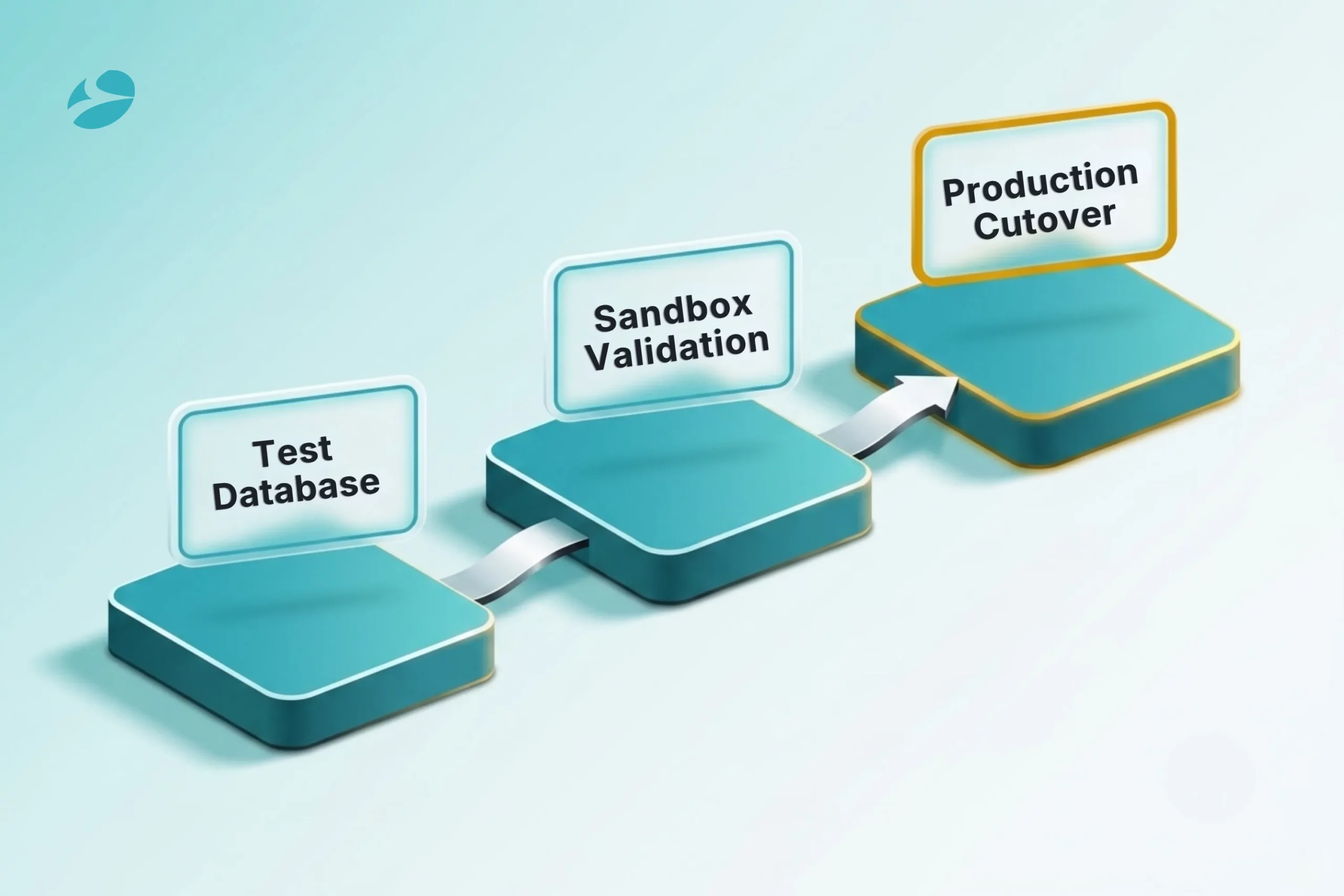
A test database that nobody tests is just a false sense of security.
So put it through its paces. Pull up real records, last quarter’s invoices, your live product catalog, open sales orders, and confirm the numbers match what Odoo 19 shows. Walk every critical workflow end-to-end, the ones your business actually runs on, from quote to cash, from purchase to receipt. Have the people who live in those screens all day do the clicking, because they’ll spot the thing that’s subtly off in a way a developer never will. And test every integration you rewrote for JSON-2 against this database, not against a slide.
For a heavily customized instance, this sandbox result is your real go or no-go signal. Not the roadmap, not the marketing, not optimism. What breaks here, and what holds, is the truth of your migration.
If the sandbox is throwing up more than you expected, that’s worth a conversation.
You’ve tested, validated, and signed off. Only now does production come into it.
Two practical details shape the timing. Your production database is offline while the upgrade runs, so schedule it for your quietest window, a weekend, an overnight, whenever your business can afford the door to be shut. And don’t let too much time drift between a successful test and the production run; Odoo recommends going to production within about three days of a good test upgrade, so the data that’s piled up since stays small and predictable.
Have a rollback plan, written down, before you start. That’s what your backup from the prerequisites is for. The goal isn’t heroics on cutover night. It’s a boring, rehearsed switch where the interesting work all happened weeks ago.
A few patterns turn up again and again, and every one of them is avoidable.
Starting too late: Treating the migration as a thing you’ll handle after Odoo 20 ships. By then, your integrations are already broken, and you’re scrambling. The XML-RPC and Owl work belong on the calendar now, on Odoo 19.
Testing production straight away: Skipping the test database to save a week. This is how data gets damaged. Test, validate, then production, in that order, every time.
Forgetting the integrations: Teams obsess over whether the data survives and forget that the website, the shipping tool, and the BI dashboard all talk to Odoo over an API that’s being removed. The data moves fine. The connections are what break.
Assuming your apps are ready: A paid app from the store is only as ready as its developer made it. Confirm the version-20 release exists before you commit to a date, not after.
1
It depends almost entirely on how customized you are. A near-standard database can upgrade in days. A lightly customized one runs a few weeks. A heavily customized, heavily integrated instance is more like a couple of months, most of it spent on integration and custom-module work rather than the data conversion itself.
2
Your standard data is converted by Odoo’s upgrade platform and comes across intact, which is exactly why you test it on a copy before touching production. Customizations are the part that needs hands-on work. Custom modules need a version-20 release before the database can upgrade at all, and integrations on the old XML-RPC API have to be rewritten for the new JSON-2 API.
3
The upgrade itself is included in every Odoo plan for Enterprise users, run through Odoo’s platform. What costs money is the engineering around it: porting integrations, updating custom modules, testing, and validating. Community edition has no free platform and relies on the open-source OpenUpgrade scripts instead.
4
If you’re on an older release, getting current on Odoo 19 now is the cheapest way to de-risk the eventual move to 20, because it shrinks the gap you have to cross later. As for jumping straight onto Odoo 20, give it room to settle. It’s unveiled at Odoo Experience 2026 from September 24 to 26. Most businesses should plan their cutover for a few months after that, once the early bugs are out.
5
Yes, but not through Odoo’s free upgrade platform, which is an Enterprise benefit. Community migrations run on OpenUpgrade, the community-maintained open-source scripts, and they move one major version at a time. It’s more hands-on, so plan for that if you’re on Community.
Artificial Intelligence (AI)
 7
7

By Nandeep Barochiya
Odoo
6

By Uttam Jain
Artificial Intelligence (AI)
57
By Nandeep Barochiya