
 7
7
Odoo 20 Features Preview: Everything Businesses Need to Know Before September 2026
 5 min read
7
5 min read
$106.22B
Global ERP software market size in 2026, growing to $281.58B by 2034
40%
Enterprise apps expected to run task-specific AI agents by 2026, up from under 5% in 2025
8,000+
Odoo implementation partners worldwide
€5B
Odoo's valuation after a €500M transaction in November 2024
Odoo 20 arrives this September, and it’s not the kind of release you upgrade for a longer feature list. It’s the one where the software stops describing what it could do and starts doing it — audit checks running themselves, leads reassigned without a human touch, a website built from a single prompt. That shift is the real headline, and it comes with a breaking-change catch that most coverage skips straight past.
Search for Odoo 20 coverage today, and you’ll find roughly the same article on repeat. A neat list of features, copied more or less straight off the roadmap Odoo walked through back in April. Fine, as far as it goes. What none of it answers is the part a business owner actually loses sleep over. Which of these changes anything for a company my size? Where’s the catch nobody’s printing? Do I move the week it ships, or give it room?
This is a preview, then, not a changelog. We’ll go through the Odoo 20 features that earn their keep, what they mean if you’re already living in Odoo day to day, and how to time the jump without guessing. It gets its reveal at Odoo Experience 2026 in Brussels, from the 24th to the 26th of September, with the build you’d actually trust in production usually turning up a few weeks behind the keynote.
Odoo runs on a once-a-year clock, and that clock is its conference. Eighteen landed in 2024. Nineteen in 2025. Twenty keeps the streak going in 2026, revealed at Odoo Experience in late September, with the stable release usually a couple to four weeks behind the headline.
Pay attention to that gap. The version they demo on stage is done in spirit, not always in fact. First point releases tend to ship with the rough edges that only reveal themselves once real workloads start grinding against them, and Odoo files those down over the weeks that follow. That’s not an Odoo knock, by the way. Every ERP vendor on earth works this way.
There’s a second caveat, and it’s the one people gloss over. Everything written about Odoo 20 features at this stage, what you’re reading included, comes off a preliminary roadmap that Odoo flat-out described as a list of things it might build. Items get dropped. Scope drifts between the April deck and the September stage. So treat any one feature below as a strong tell about where things are headed, not a guarantee, until the day it actually ships.
Why labor the point? Because it shapes how you should read the rest of this. The direction is dependable. The fine print of any single module is anybody’s guess until release day.
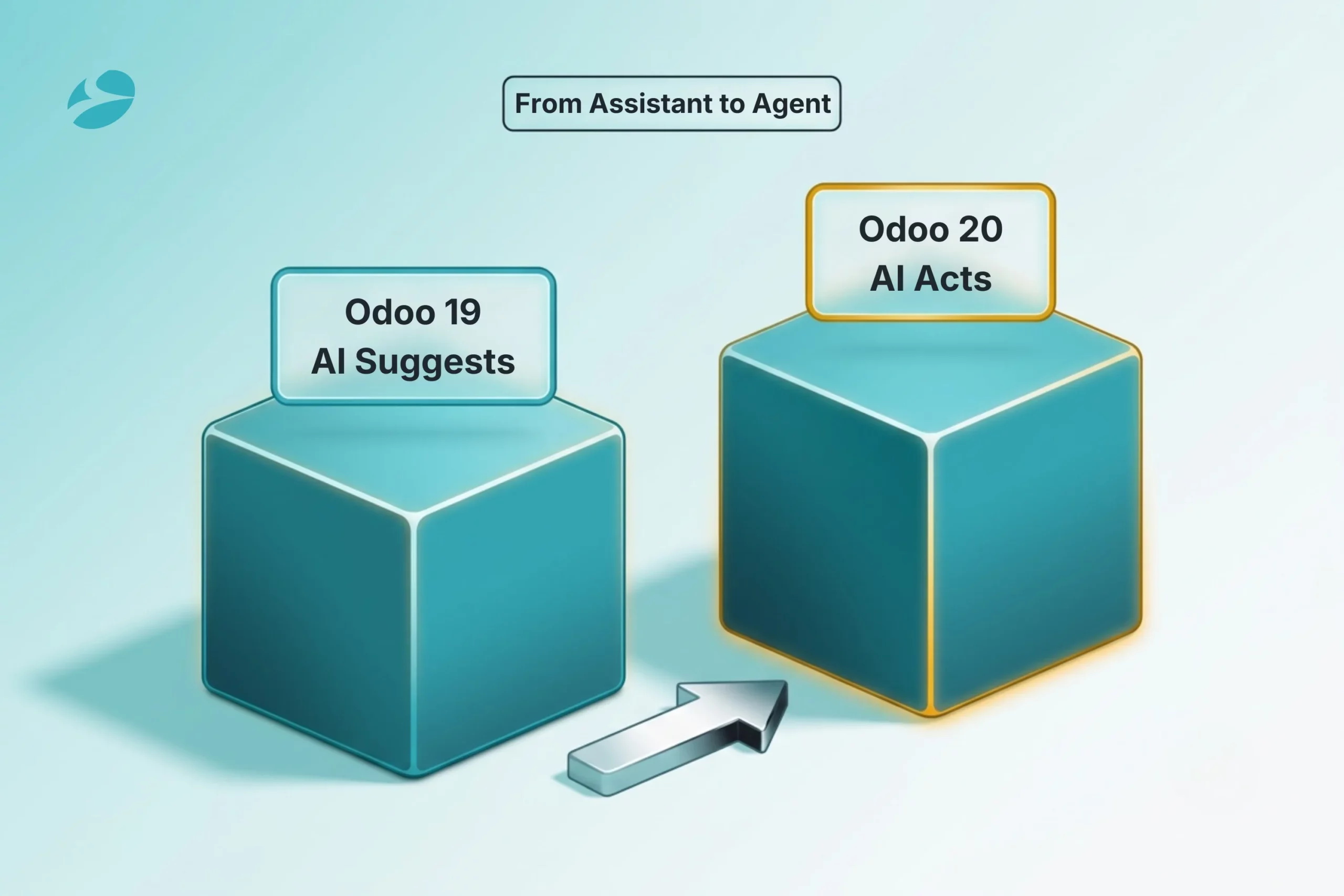
Nineteen brought AI in as a helper. You’d ask, and it would draft a bit of text, sum up a record, answer a question. Handy. Also entirely passive, because a human still had to read whatever it produced and decide what happened next.
Twenty is aiming somewhere else entirely. The AI is being built to act on your live data, not just chat about it. That is the actual story here, and it’s the exact part the feature roundups wave at and then never unpack.
The one that jumps out on the roadmap is an AI audit agent that chews through a quarter of finance checks by itself. It checks reconciliation. It flags a number in the books that looks wrong. It gets through the treasury checklist a controller would otherwise be doing by hand at five on a Friday. The rest of the agentic features follow the same pattern: something that finds unwon leads and shares them back around the team on whatever rules you hand it, a timesheet helper that fills in entries based on the work it already watches you do — your tasks, your messages, your commits — and a website assistant you brief once, in a single prompt, and it builds the page, generates the images, and the lot.
Here’s the one sentence to keep. Odoo 19’s AI told you what it would do. Odoo 20’s is meant to go and do it, then show you what it touched. For the repetitive, high-volume back-office slog, that quietly relocates the human to a very different seat.
And Odoo isn’t making this bet alone. Gartner expects 40% of enterprise apps to carry task-specific AI agents by 2026, up from under 5% the year before. Odoo 20 is the same wager, just played across the whole suite instead of pinned to one corner of it.
Curious whether agentic AI fits your operation or just adds noise?
Set the AI aside and the Odoo 20 new features still touch nearly every app. Here’s the walk-through, one module at a time, with that same warning stapled to it: roadmap, not promise.
Accounting and finance. This is where the weight of the release sits. Native financial forecasting that puts budgets next to actuals and pushes cash flow out into the future. A “Pay from Odoo” flow that batches vendor payments over SEPA and clears them on a single signature. Reconciliation can run against any general ledger account at all, with the foreign-exchange and deferral headaches handled for you. Partner identifiers like VAT and LEI numbers are checked as they’re keyed in.
Sales and CRM. Sales gets proper multi-pipeline management at last, so your different motions quit elbowing each other inside one shared pipeline. Telephony comes built in this round. Grab a local number across 100-plus countries, sketch the call flow in a visual editor, then go back and search the transcript of a call that already happened. Plugins for Gmail and Outlook ride along. Quoting picks up section templates, unit-of-measure price rules, and margins you can edit right there.
Inventory and manufacturing. Stock gets simpler. One “On Hand” number now, which puts an end to the eternal squabble over what’s reserved versus what you can actually sell. Purchase order arrival dates stop being wishful thinking and recompute themselves based on real shipping delays and the supplier’s own history. Out on the floor, a manufacturing and work order Kanban that shows capacity and deadline pressure climbing before it hardens into a blown ship date.
Website, eCommerce, and POS. A genuine performance pass, load times in its sights. SEO gets real attention for once, JSON-LD microdata, tidier redirect handling, actual control over indexing and canonical tags. Customers file their own returns from the portal. Fresh marketplace and payment hookups arrive. Over on Point of Sale, hardware that detects itself across the local network, and a floor-plan editor to boot.
HR and payroll. A payroll dashboard that puts the blockers you can fix in front of you. Attendance that pours straight into payslips. A pay run broken into three clear steps instead of the usual end-of-month scramble.
Platform and mobile. Mobile rebuilt from scratch, touch targets sized for actual thumbs, the horizontal scrolling finally gone. Underneath, the front end shifts onto the Owl 3 framework, and there’s a new JSON-2 external API. That one looks like a footnote. It is not, and the next section is the whole reason why.
There’s also a clutch of new industry verticals on the way, Hotel and Construction through to Auto Repair and Recruitment. Read it as a map of where Odoo thinks the next wave of growth is hiding.
Don’t grade Odoo 20 on how many features it has. Pick the two or three modules your business genuinely lives inside, and judge the whole release on whether those specific changes solve something that’s biting you today. A heap of improvements in apps you never once open is not a reason to upgrade.
Now for the part the feature lists tiptoe around. The same release that hands you agentic AI also starts a breaking-change cycle, and it’s easy to miss precisely because the roadmap tucks the two under separate headings, pages apart.
Here’s the mechanics. In Odoo 20 the old XML-RPC external API drops to legacy, a new JSON-2 API steps in to replace it, and full removal is penciled in for version 22. The front end moves to Owl 3 in the same breath. If your Odoo is clean and close to stock, neither of those is going to ruin your week. If yours is one of the heavily customized mid-market builds we spend most of our days inside, both are real work.
So picture yours. Custom integrations chatting to Odoo over XML-RPC. A few third-party apps pulled off the store. Perhaps some custom modules sitting on the older front-end framework. For you, an Odoo 20 upgrade is not just a feature win. It’s a re-validation project bolted to the side of it. The apps need their version-20 releases, and the developers behind them ship when they ship, on their clock, not Odoo’s. The integrations want testing against the new API. Any bespoke front-end work might need rebuilding on Owl 3.
This is the part worth sitting with for a minute. The agentic-AI upside everyone’s buzzing about turns up in the very same version as the technical changes that can quietly balloon your upgrade bill. Chase the shiny AI and skip the integration math, and you’ve read half the page. They belong in one plan. That’s exactly the connection most Odoo 20 write-ups miss.
Working out that dependency map before anyone touches a live environment is the sort of thing our Odoo development services team does first. A broken integration found in production costs a lot more than the same break caught in a sandbox.
For most mid-market businesses, the straight answer is no. Not on launch day. And that’s not cold feet, it’s just how teams who’ve done this a few times tend to sequence a major Odoo upgrade.
Think about what’s actually working against you. The first build out the door carries bugs that only show their face under genuine production load, and those get patched over the weeks after. The ecosystem isn’t ready either; the apps and community modules you lean on won’t all be version-20 ready the morning it ships, so if your setup depends on them, you may be stuck even when you’re itching to go. And the breaking changes just covered? They mean a customized instance needs a tested route, not a same-week leap and a prayer.
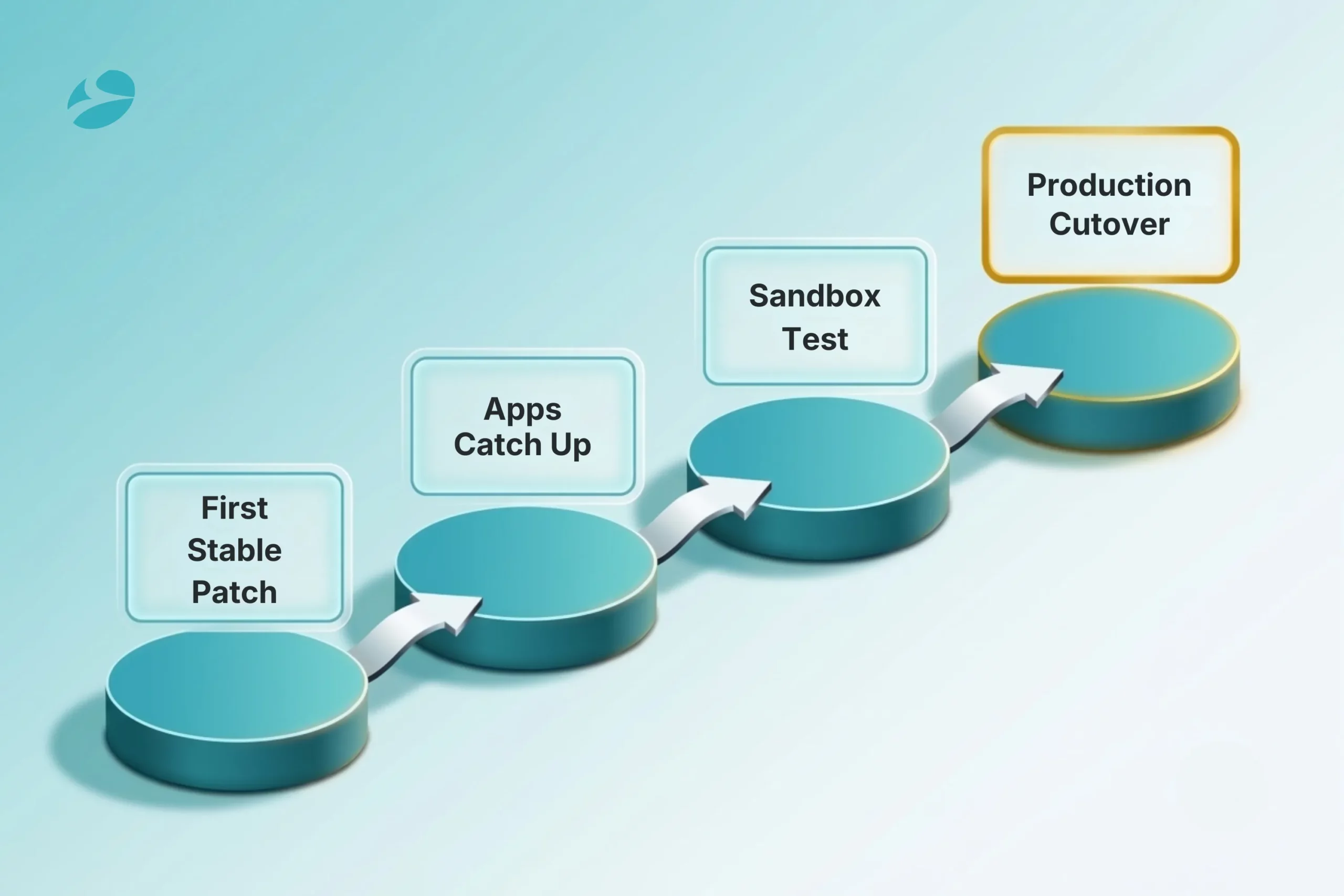
So in practice the rhythm runs something like this. Wait out the first stable patch, which tends to land around October or November of 2026. Hand the app and module ecosystem another four to eight weeks to catch up. Stand the upgrade up in a sandbox first, prove every integration and customization there, and only once that’s clean do you put the production cutover on the calendar. Lightly customized or brand new to Odoo? You can move quicker. Heavily customized? Plan for the long end and don’t fight it.
Before you lock a date, run yourself through this. It’s a blunt little gut check on whether you’re ready:
Can’t tick most of those off? Then the upgrade isn’t job one. The assessment that makes the upgrade safe to attempt is.
If this checklist is describing gaps in your current setup, it’s worth a conversation before you pick an upgrade date.
The businesses that come through a major Odoo upgrade in good shape are the ones that got moving before the release, not the ones who scrambled after. Preparing doesn’t mean upgrading early. It means being set to go the second the timing is genuinely right for you.
Begin with an inventory. Get it on paper: every customization, every integration, every third-party app sitting in your instance, and put a mark next to the ones touching the XML-RPC API or any custom front-end code. That single document is what turns a vague, open-ended upgrade into a project somebody can actually scope and price.
Next, hold your dependencies up against the Odoo 20 changes one by one. Each integration, each app, drop it into a bucket. Needs a fresh compatible release. Needs a rewrite against the JSON-2 API. Or needs nothing and rides along untouched. Nail that mapping and the budget stops jumping out at you halfway through.
After that, pilot the lot in a sandbox. A trial upgrade run on a copy of your real data shows you, with no production risk attached, precisely what snaps and what holds. For a heavily customized instance, that sandbox run is your honest go or no-go, whatever the marketing slides happen to promise.
It’s also the moment to settle a thing people love to blur. Are you upgrading, or migrating? Coming off something recent like Odoo 19 onto Odoo 20, that’s an upgrade. Coming off an ancient release, or another ERP entirely, that’s a migration, and it drags its own data and process work along behind it. Two different jobs, two different plans, and getting the label right early is what spares you the rework later. Routine Odoo upgrade or full migration, we run both through our Odoo development services at BiztechCS, and we always open on the assessment, never the cutover.
1
At Odoo Experience 2026 in Brussels, the 24th to the 26th of September, with general availability usually a couple to four weeks behind the keynote. If you’re a business rather than an early tinkerer, the sane window to actually upgrade is the first patch release, roughly October or November 2026, after the launch bugs have been shaken loose.
2
Agentic AI is the spine of it. Of the Odoo 20 new features, the ones that matter most are those that act on your data instead of merely suggesting, the AI audit agent for finance, automatic lead reassignment, that flavor of thing. Step past the AI and you’ve got native financial forecasting, telephony built into CRM, a simpler inventory stock model, POS and eCommerce upgrades, a rebuilt mobile interface, and a handful of new industry apps. All roadmap, mind you. The final list only gets confirmed at release.
3
Starting fresh with no deadline breathing down your neck? Wait for a stable Odoo 20 and you get the longest support runway plus the agentic AI. Need to be live now? Odoo 19 is the proven, stable bet, and it upgrades cleanly to 20 later anyway. Honestly, nine times out of ten it comes down to your timing and your appetite for risk, not the spec sheet.
4
Not without some rework, no. Odoo 20 starts retiring the XML-RPC API in favor of the new JSON-2 one, and it moves the front end onto Owl 3. So custom integrations and apps may want updated releases or a bit of rework, and the third-party developers behind them ship version-20 builds on their own timetable. Which is the whole reason an inventory and a sandbox test aren’t optional before you upgrade a customized instance.
5
It can be a great one, especially for new Odoo users adopting a stable release without a pile of old customizations to drag forward. A small, lightly customized instance gets to Odoo 20 faster and with a fraction of the risk a big, heavily integrated one carries, and it still walks away with the same AI and usability wins.
Artificial Intelligence (AI)
 7
7

By Nandeep Barochiya
Odoo
9

By Uttam Jain
Artificial Intelligence (AI)
58
By Nandeep Barochiya